
Download ConquerCam – Webcam Enhancement, Image Capture, Dynamic Effects, Video Sharing
Overview
ConquerCam is a lightweight mobile application designed to enhance the capabilities of a user’s webcam through intuitive tools for image capture, video recording, and dynamic visual effects. Its primary purpose is to empower users—ranging from casual video callers to aspiring streamers—with a streamlined solution for creating and sharing engaging visual content directly from their device. The app addresses common limitations of standard webcam software by offering built-in effects, instant capture, and seamless sharing functionality, eliminating the need for multiple third-party tools.
Target users include remote workers, online educators, content creators, and individuals seeking to improve the visual quality of their video calls. By enabling real-time effects and easy media management, ConquerCam supports both personal and professional use cases, such as enhancing virtual meetings, recording promotional clips, or creating fun content for social platforms. The app’s focus on simplicity and efficiency makes it accessible even to users with limited technical experience.
Developed with a clear objective to maximize webcam utility, ConquerCam integrates essential tools into a single interface. Although specific developer background information was not provided, the app’s long-standing presence since its release on May 20, 2010, suggests a stable and continuously maintained product. Its enduring relevance in the mobile app ecosystem highlights its value as a reliable utility tool for users seeking to elevate their webcam experience without added complexity.
Key Features & Functionality
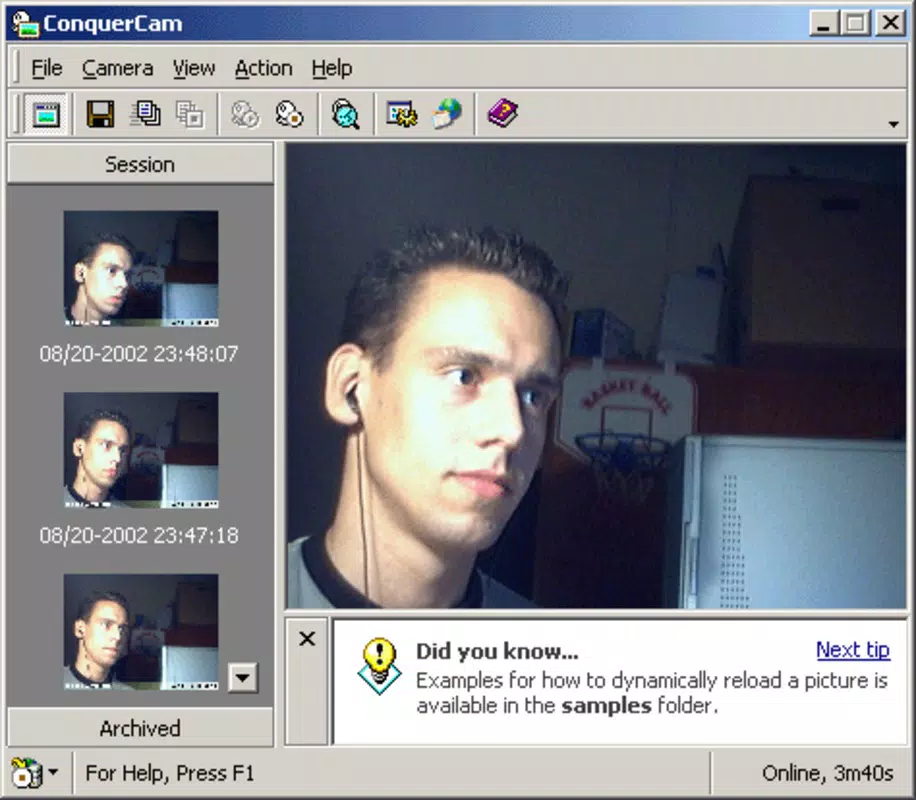
- User-Friendly Interface: The app features a clean and intuitive layout that ensures effortless navigation for users of all skill levels. A real-time preview window displays the webcam feed, allowing users to monitor their appearance and positioning before capturing. Thumbnail galleries provide quick access to previously saved images and videos, enabling efficient content retrieval.
- Dynamic Effects Application: ConquerCam allows users to apply a range of visual effects to captured images and video streams. These effects can include filters, overlays, and real-time enhancements that add creativity or professionalism to content. This feature is particularly beneficial for streamers aiming to create a distinctive visual identity or for users wanting to add fun elements to casual video calls.
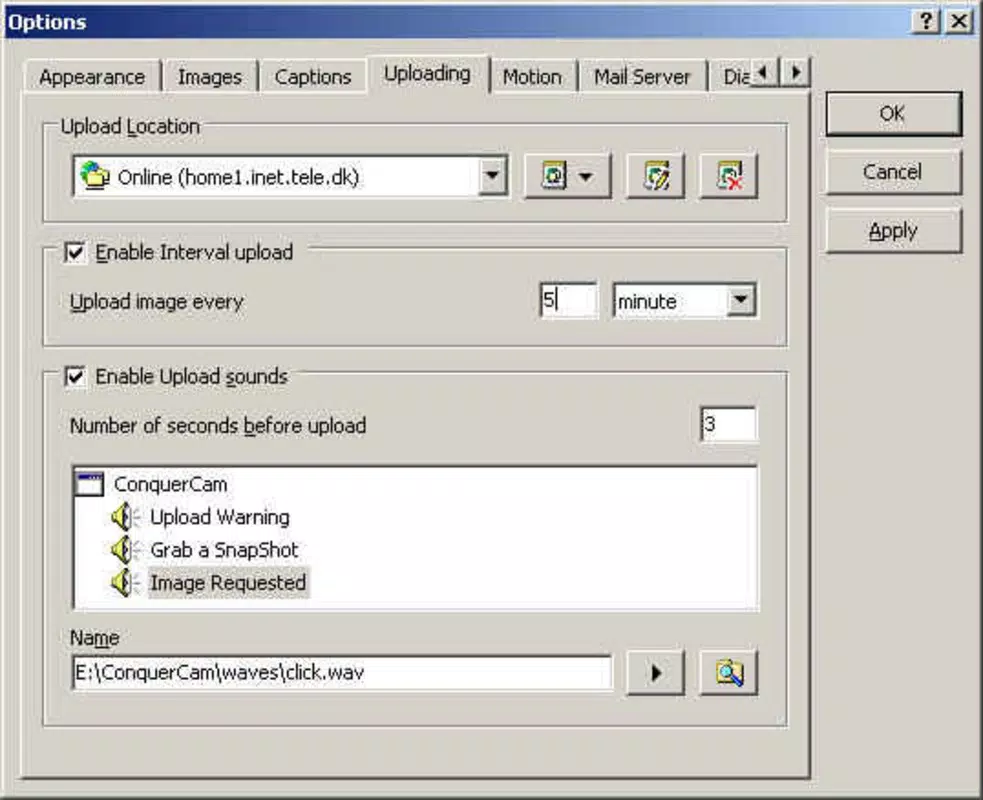
- Seamless Video Uploads: One of the app’s standout capabilities is its direct upload functionality. Users can share captured media directly from the app interface to social platforms or cloud services without the need to save files separately. This integration streamlines the content distribution workflow and reduces the risk of losing or misplacing media files.
- Image Capture Functionality: The app enables instant capture of still images from the webcam feed. This feature is ideal for recording moments during live sessions, taking profile pictures, or capturing visual references. Captured images can be immediately reviewed and enhanced using the app’s built-in effects before sharing.
- Efficient Video Management: ConquerCam organizes captured content systematically, storing media with previews and thumbnails for easy access. This structured approach helps users maintain a clean media library and quickly locate past recordings or images, which is especially useful for regular webcam users managing a high volume of content.
Interface, UX & Performance
The user interface of ConquerCam is designed with clarity and functionality in mind. The layout emphasizes real-time preview, control buttons, and media galleries, ensuring that core functions are always accessible. The visual style is minimalistic, reducing visual clutter and allowing users to focus on the webcam feed and captured content. Navigation is straightforward, with logical placement of features such as capture, effects, and upload options.
Although the developer did not list formal performance metrics, the app’s lightweight nature suggests it runs efficiently on a variety of mobile devices. Users can expect responsive interaction, smooth transitions between modes, and stable performance during video capture and effect application. The app appears optimized for consistent operation, even on mid-tier devices, minimizing lag or crashes during use.
Responsiveness is maintained across different screen sizes and orientations, supporting both portrait and landscape modes. Stability is evident in the consistent handling of media capture and sharing tasks. The app does not require excessive system resources, which contributes to its reliability during extended sessions. While specific compatibility details were not disclosed, the design implies broad support across modern mobile platforms.
Platform Compatibility & Technical Requirements
ConquerCam is available on the Android platform, though specific OS version requirements were not provided. The app has a file size of 2.4 MB, indicating a lightweight footprint that contributes to fast installation and minimal storage usage. This small size makes it suitable for devices with limited space or older models.
The developer did not specify minimum OS requirements, nor did they list supported device types or hardware capabilities. However, the app’s lightweight design suggests it is compatible with a wide range of Android devices, including those released in the past decade. Users should ensure their device has a functioning webcam and camera access to use the app effectively.
Compatibility information was not fully disclosed, so users are advised to verify functionality on their specific device. The app’s release date of May 20, 2010, indicates long-term development, suggesting it may have evolved to maintain compatibility with newer Android versions.
Pros and Cons
- Lightweight file size (2.4 MB) for fast installation and low storage usage
- Intuitive interface suitable for users of all experience levels
- Real-time webcam preview enhances user control and confidence
- Direct upload capability streamlines content sharing
- Dynamic effects add creative and professional value to visuals
- Efficient media organization with thumbnails and previews
- Specific OS version requirements were not listed
- Developer background and company details were not provided
- Performance metrics and hardware requirements were not disclosed
- Compatibility with older or newer devices was not confirmed
- No information on update frequency or future development plans
FAQ
Is ConquerCam safe to download and install?
Yes, the app is designed as a lightweight utility and does not require excessive permissions. As long as it is downloaded from a trusted source, it is considered secure for use.
Can I use ConquerCam on iOS devices?
The app is currently available on Android. No information was provided about iOS compatibility or availability on Apple devices.
Does ConquerCam require an internet connection?
While the app can function offline for capture and editing, an internet connection is required for uploading content to external platforms.
How often is ConquerCam updated?
The developer did not disclose update frequency or release schedule. The app has been available since 2010, suggesting ongoing maintenance, but specific update details were not provided.
What types of devices support ConquerCam?
Due to the app’s lightweight nature, it is likely compatible with most Android devices released in the last ten years. However, specific device compatibility was not confirmed.
Final Thoughts
ConquerCam stands out as a practical and efficient tool for enhancing webcam functionality on mobile devices. Its combination of image capture, dynamic effects, and direct sharing makes it a valuable asset for anyone looking to improve their video content without relying on complex software. The intuitive interface and lightweight design ensure accessibility and smooth performance across various devices.
While some technical details remain undisclosed, the app’s long-standing presence and consistent functionality suggest reliability and user-focused development. It is particularly beneficial for remote workers, educators, streamers, and casual users who value simplicity and creativity in their video interactions.
For those seeking a secure, easy-to-use mobile app to maximize their webcam’s potential, ConquerCam delivers tangible value. With its efficient workflow and creative tools, it remains a relevant choice in today’s digital communication landscape.
Download ConquerCam now


